

Push authentication, embedded in your app.
When a user signs in or triggers a sensitive action, a real-time challenge lands on their registered device. One tap to approve. One tap to deny. Cryptographic proof, no codes to copy, no SMS to intercept, no third-party authenticator app required.

Device-bound private keys - Cryptographic signatures.
No shared secrets. No SMS. No third-party authenticator.
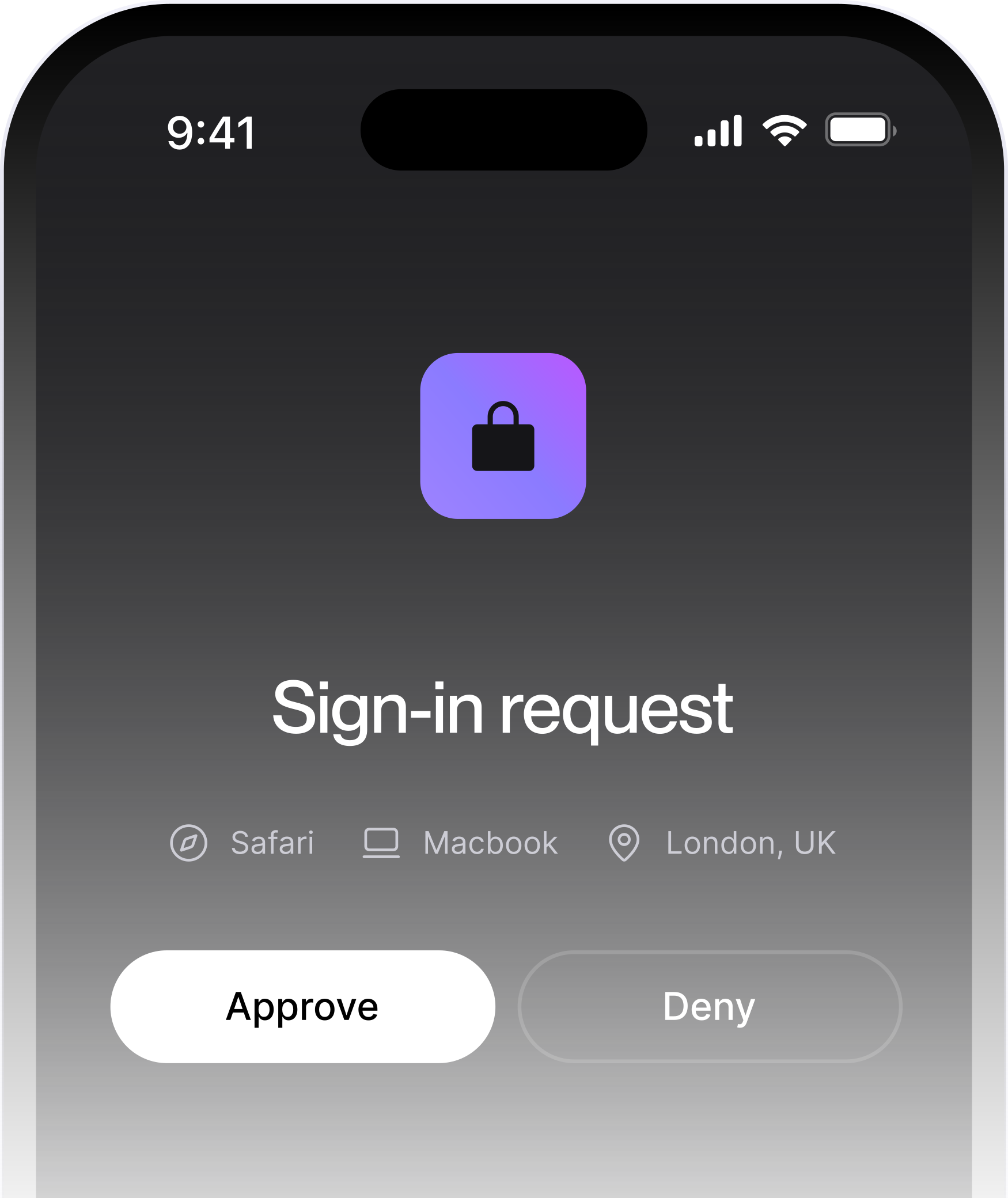
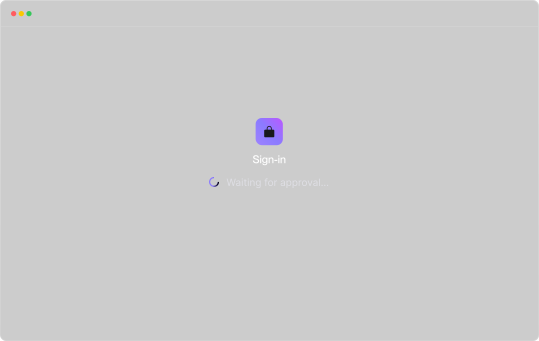






Your users deserve better than a six-digit code.
SMS one-time passwords are the default MFA method for a reason: they're easy to deploy. But they're also interceptable via SIM-swap attacks, phishable by real-time proxy sites, and expensive at scale. TOTP authenticator codes require users to switch apps, find the right account, and type a number before the clock runs out, and they're still phishable.
Push authentication changes the equation. A challenge lands directly in your branded app. The user reviews it and taps Approve or Deny. The response is signed using a private key stored in the device's secure enclave. The whole exchange is over in seconds, and none of it involves a code traveling across a network you don't control.


Why SMS OTP alternatives like push MFA are replacing codes in security-first stacks.

Vulnerable to SIM-swap and real-time phishing. Expensive at scale. NIST formally discouraged in SP 800-63B.

Requires a separate app. Manual code entry under time pressure. Still phishable via live relay attacks.

Susceptible to MFA fatigue attacks. Without rate limiting and request context, users can be worn down into approving a fraudulent prompt.
.avif)
Authsignal's push authentication closes all three gaps, challenges are cryptographically bound to the initiating session, rate limiting sits upstream of every challenge, and because everything runs inside your app, there's nothing for a user to accidentally approve from a phishing page.
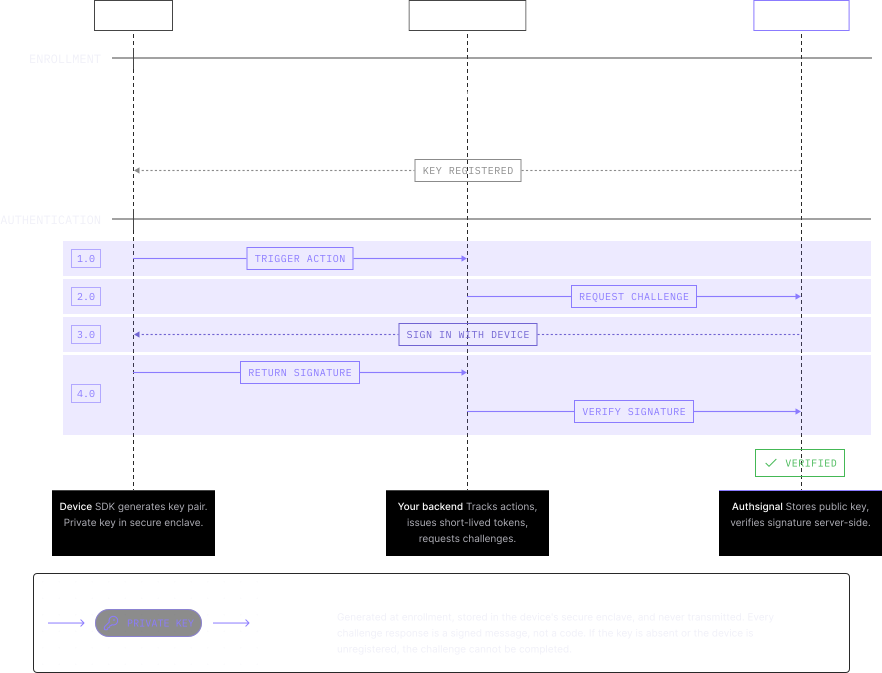
How push authentication works
Four steps. No app switching. No shared secrets in transit.
Push MFA for mobile apps, built into your product, not added on top of it.
Your app. Your brand. No redirects.
Push authentication lives inside your existing mobile app via Authsignal's Mobile SDK. Users never leave your product to authenticate. No separate app to download.
Eliminate per-message costs at scale.
Push runs over your app's existing notification infrastructure. No carrier dependencies, no per-SMS fees, no delivery failures from network congestion. More reliable. Dramatically cheaper.
Step-up authentication, triggered by risk — not by default.
Deploy step-up authentication when signals are elevated — a new device, an unusual location, a transaction above threshold. Low-risk sessions flow through uninterrupted.
Cryptographic security, no shared secrets.
Each enrollment generates an asymmetric key pair. The private key lives in the secure enclave and never leaves it. An attacker who steals your server cannot sign challenges.
Resilient without push notifications.
Push notifications are the UX layer, not the security layer. If a notification is blocked or delayed, the user opens your app and sees the pending challenge.
Ship in days, not weeks.
Native SDKs for iOS, Android, React Native, and Flutter. Server SDKs for Node.js, Python, Ruby, Go, and Java. Most teams are in production within a sprint.
Add push authentication to your app in a sprint.
Three integration points. Your existing mobile app. Your existing backend.
authsignal.setToken(token);

const { data } = await authsignal.push.challenge();
await authsignal.push.updateChallenge(
challengeId: challengeId,
approved: true
)authsignal.setToken(token);
const { data } = await authsignal.push.challenge();authsignal.push.updateChallenge(
challengeId = challengeId,
approved = true
)authsignal.setToken(token);
const { data } = await authsignal.push.challenge();await authsignal.push.updateChallenge({
challengeId,
approved: true,
});authsignal.setToken(token);
const { data } = await authsignal.push.challenge();await authsignal.push.updateChallenge(
challengeId: challengeId,
approved: true,
);Combine push MFA with the right method for every risk level.
Silent step-up authentication inside your mobile app — no cross-device challenge required.
.avif)
Verify cross-device actions by scanning a QR code. Ideal for desktop-to-mobile flows.

The strongest, most user-friendly passwordless authentication. No credential ever leaves the device.
.avif)
Combine any authentication method with risk-based rules that trigger only when risk demands it.
.avif)
Your users shouldn't feel your security controls. Your fraud team should.
Add cryptographic push authentication to your iOS, Android, React Native, or Flutter app. Most teams are live in a sprint.
Frequently asked questions
How does push notification MFA work?


Push notification authentication is a method of verifying a user's identity by sending a real-time challenge to their registered mobile device. Instead of entering a code, the user taps Approve or Deny directly in the app. The underlying mechanism uses public-key cryptography — a private key stored in the device's secure enclave signs the challenge response, which is verified server-side using the corresponding public key. Authentication is bound to the physical device, not a phone number or a shared secret.
How is push verification different from SMS OTP or TOTP?
SMS OTP sends a numeric code over the cellular network — interceptable via SIM-swap attacks, phishable via fake login pages, and dependent on carrier delivery. TOTP generates a code in an authenticator app but requires manual entry under time pressure and is still phishable via live relay. Push verification sends a cryptographic challenge that is signed by a private key stored only on the user's registered device. There is no code to intercept, no secret to relay, and no authentication possible from an unregistered device.
What happens if the user doesn't receive the push notification?
Push notifications are the UX prompt — not the security mechanism. If a notification is blocked, delayed, or the user's notification permissions are off, they can simply open your app and see any pending challenge. The challenge resolves via polling between the browser session and Authsignal's servers, so authentication is never blocked by a notification delivery failure.
Do users need to download a separate authenticator app?
No. Authsignal's push verification is embedded directly into your existing mobile app using the Authsignal Mobile SDK. Users never download a third-party authenticator. Authentication happens inside your branded product — on iOS, Android, React Native, or Flutter. This is the core product distinction from Duo Push, Auth0 Guardian, and Microsoft Authenticator, all of which require their own app.
Does push notification MFA work with my existing identity provider?
Yes. Authsignal integrates with Amazon Cognito, Azure AD B2C, Keycloak, Duende IdentityServer, and more. You layer Authsignal's push verification on top of your existing IDP, no user migration, no identity layer replacement.